Updating Galleries
1. Upload your new gallery items


2. Open the page you want to make changes to and open the visual editor
Click here to learn how to activate the visual editor
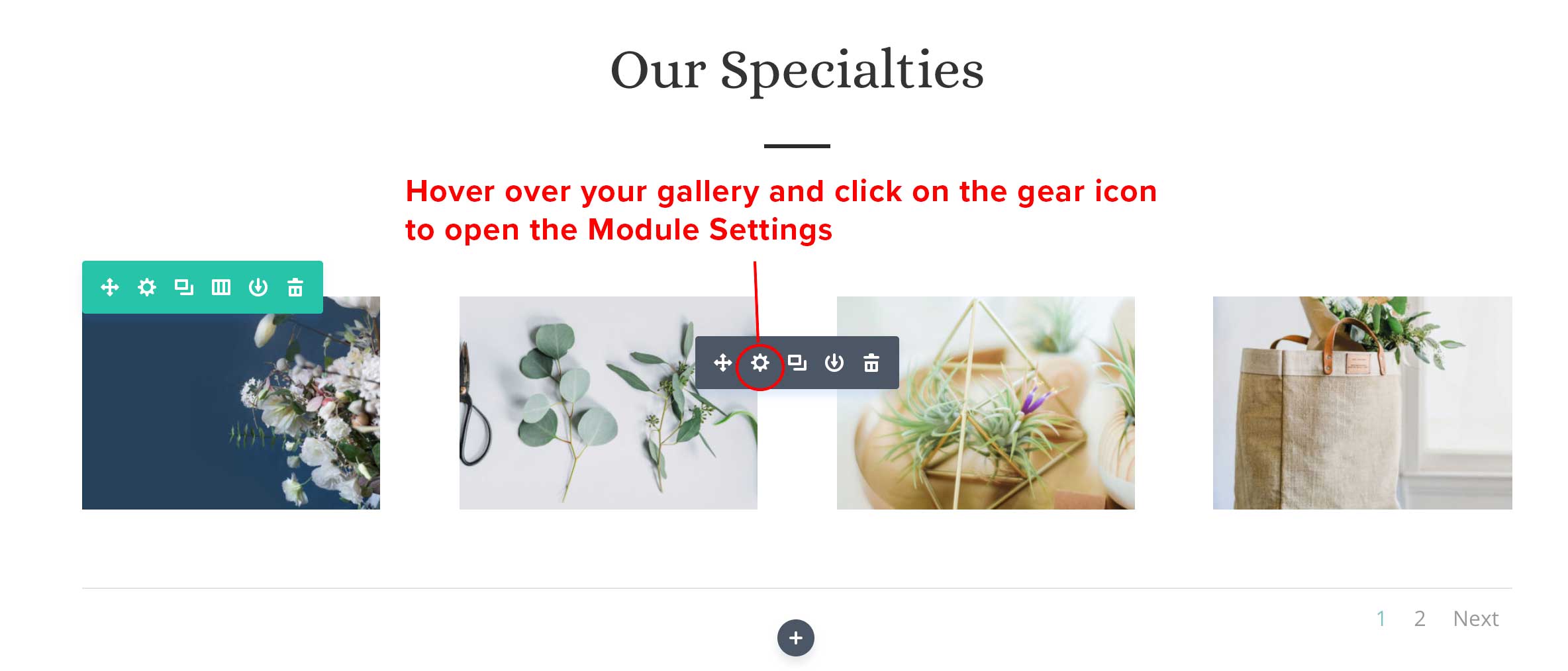
3. Open gallery editor
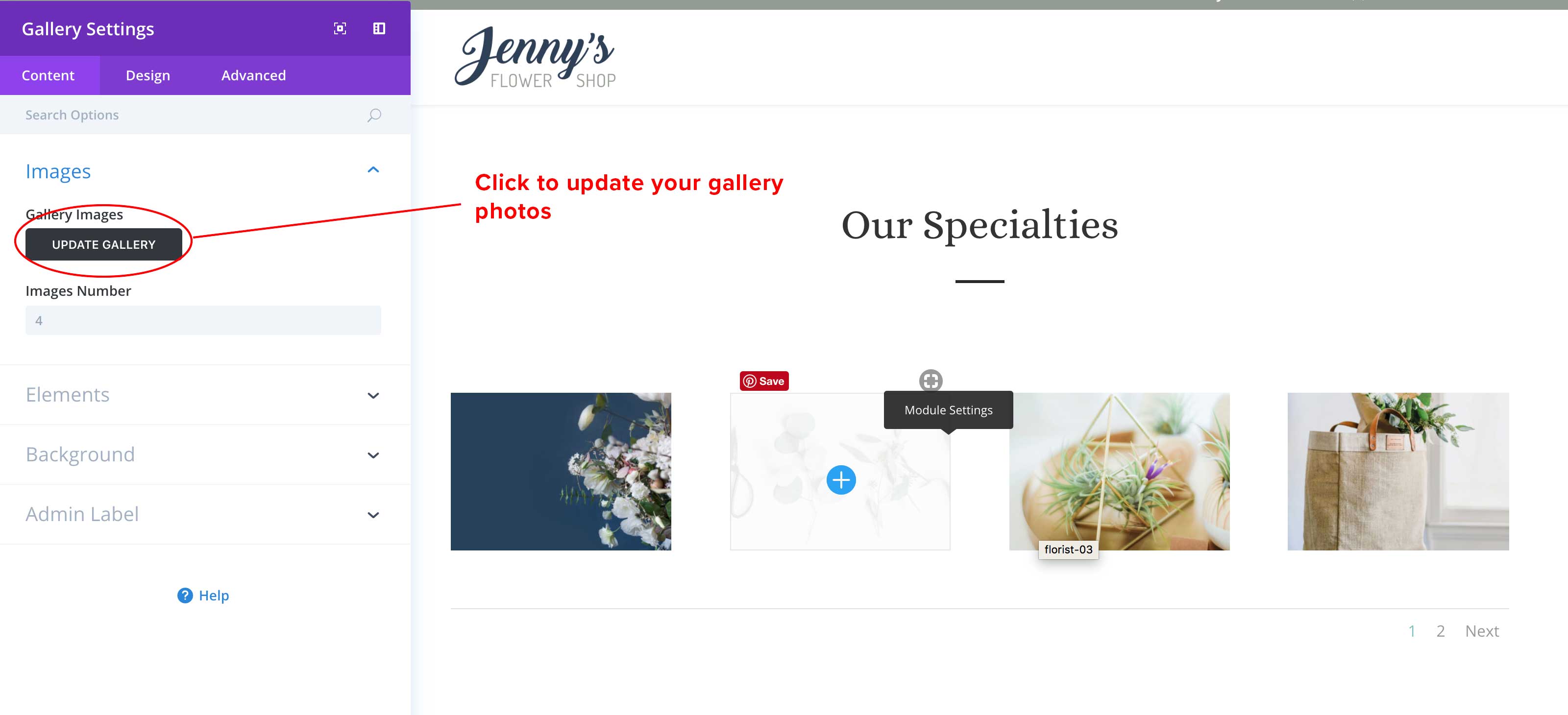
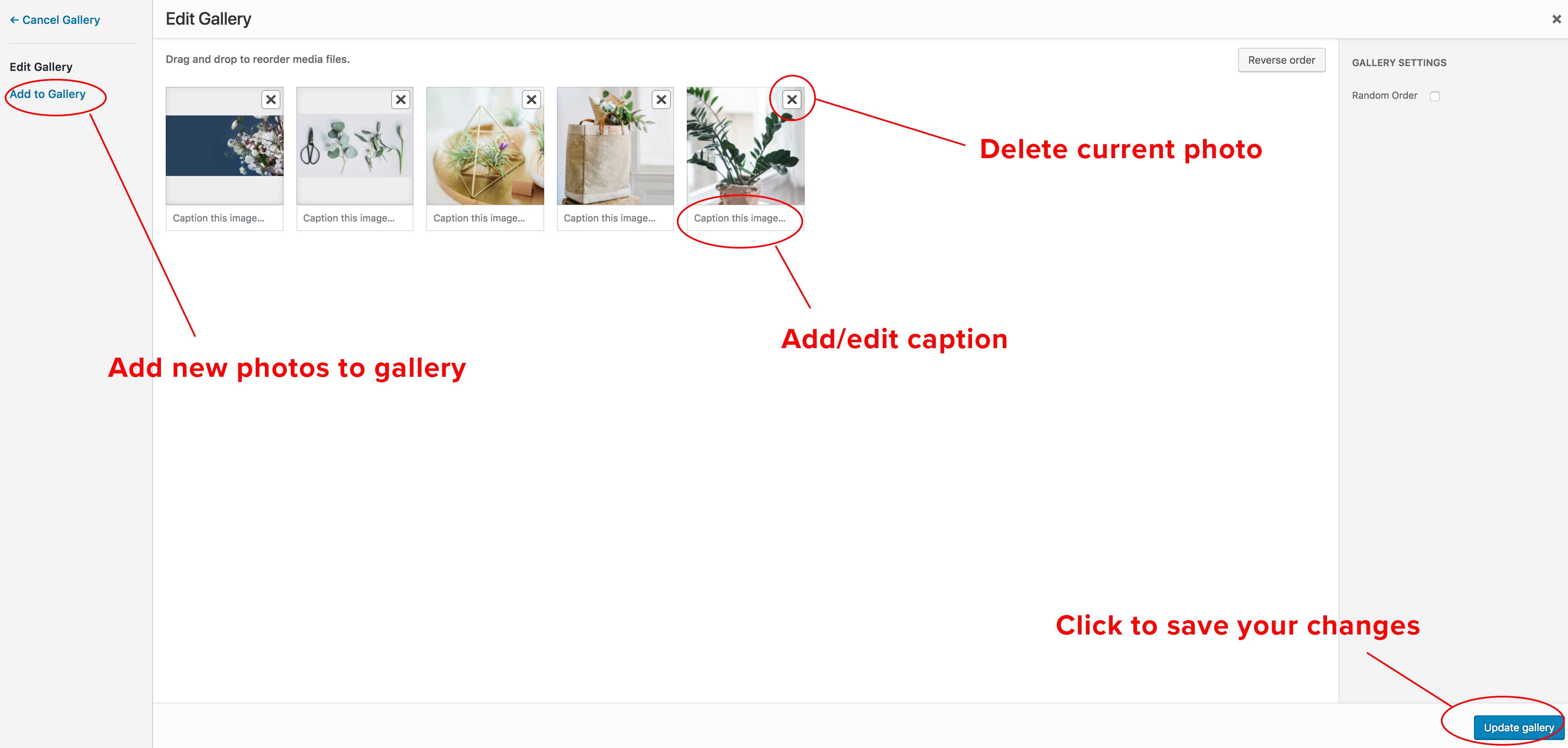
4. Edit your gallery

Click here to learn how to activate the visual editor